
Driving Manager & Employee Adoption of Performance Management Tools

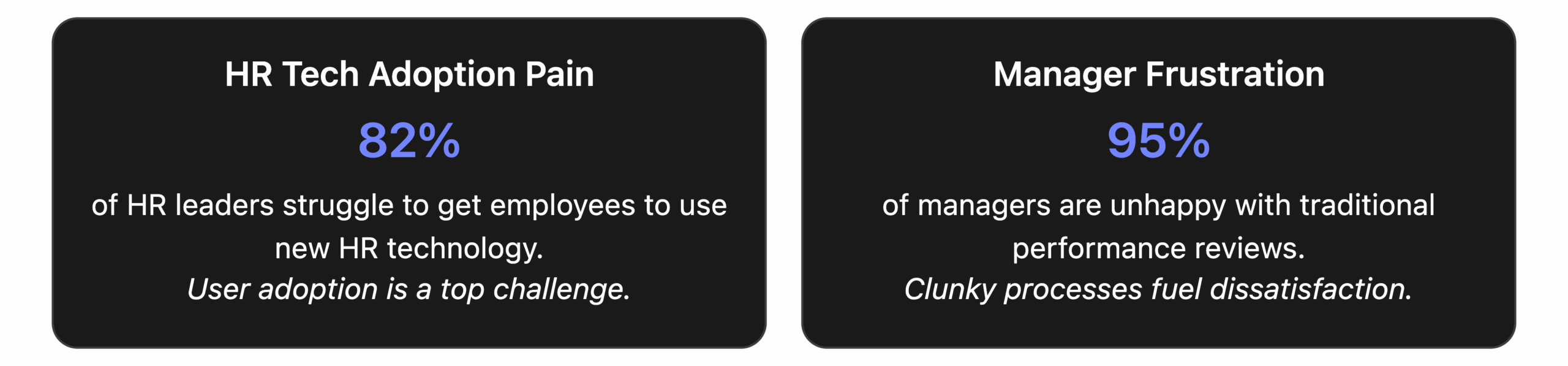
Implementing a new performance appraisal tool is only half the battle – the real challenge is getting people to actually use it. HR forums are filled with tales of companies investing in sophisticated performance management software, only to see managers revert to old habits and employees ignore the system. In fact, 82% of HR leaders struggle to drive adoption of their HR technology[1], which means even the best performance tool can fail if users find it frustrating. Managers often shun clunky systems and busy employees see them as “time-sinks,” defeating the purpose of the investment. As one HR professional lamented, workers appreciate feedback but “hate the administrative burden of documenting it” in a cumbersome system.
For HR decision-makers and influencers, the message is clear: driving adoption is critical. Without full buy-in from both managers and employees, a performance management tool won’t deliver results – it might even become a costly failure. The good news is that with the right strategies, you can turn performance reviews from a dreaded chore into a welcomed habit. This article explores practical tips to increase adoption of performance management tools, ensuring your chosen system becomes an integral, value-adding part of your company culture.
Why Adoption Matters More Than Ever
If nobody uses the tool, it doesn’t matter how good it is. This simple truth is behind the adoption crisis many organizations face with performance management systems. Surveys show a huge disconnect: while nearly all companies (95%) have a formal performance management system in place[2], a whopping 95% of managers dislike the performance review process and find little value in it[3]. Why? One major reason is poor adoption – managers and employees find the systems cumbersome, so they engage only superficially or not at all.
Low adoption has real consequences:
- Missed data & insights: If managers avoid using the tool, HR loses out on valuable performance data and feedback that drive talent decisions[1]. The system can’t generate insights from information that isn’t there.
- Inequity & bias: Spotty usage means some employees get thorough reviews while others get one-liners. This inconsistency can lead to perceptions of unfairness[4].
- Wasted ROI: HR tech isn’t cheap. When only a fraction of features are used, the company fails to realize the return on its investment. In worst cases, the tool may be abandoned entirely – an expensive shelfware.
- No improvement in culture: The goal of modern performance tools is to foster ongoing development and feedback. Low adoption leaves the old culture (infrequent reviews, lack of feedback) unchanged.
Conversely, strong adoption unlocks real benefits. Organizations with high engagement in their performance systems see better alignment and productivity. For example, Reflektive found that when employees used the performance tool regularly, companies achieved 100% completion of check-ins and goals and even measured higher workforce happiness[1]. This shows that when people actually use these tools:
- Managers gain clarity: Regular check-ins through the system keep managers aware of progress and issues in real time.
- Employees feel supported: Continual feedback and recognition through the platform make employees feel valued and heard.
- HR can demonstrate impact: With full data, HR can show improved retention, performance growth, and other KPIs, making the case that the system is driving business results.
In short, adoption is the linchpin that turns a performance management tool into a strategic asset. The following tips focus on eliminating the common barriers (like cumbersome design and lack of training) that cause managers and employees to avoid using the tool. By addressing these pain points, HR leaders can dramatically increase system usage and make performance reviews a positive, ingrained habit.
1. Select a User-Friendly Performance Tool
User experience is everything. The quickest way to kill adoption is to introduce a tool that is confusing, slow, or hard to navigate. If the software isn’t intuitive, busy managers will find ways to avoid using it out of frustration – and who could blame them? To drive adoption, choose a user-friendly performance management software that minimizes friction at every step.
Key aspects of a user-friendly system:
- Intuitive Interface: The design should be clean and logical. Common actions (like starting a review, checking an employee’s goals, or giving feedback) should be obvious and require as few clicks as possible. If managers need a training manual for basic tasks, the tool isn’t truly user-friendly.
- Speed and Reliability: Long load times or frequent bugs will cause users to drop off. Consistency builds trust – if the tool is fast and always works, people will be more inclined to use it routinely.
- Single Sign-On (SSO) Integration: Eliminate extra logins. Integrate the tool with your main systems so users can access it with their regular work credentials. This reduces barriers to entry.
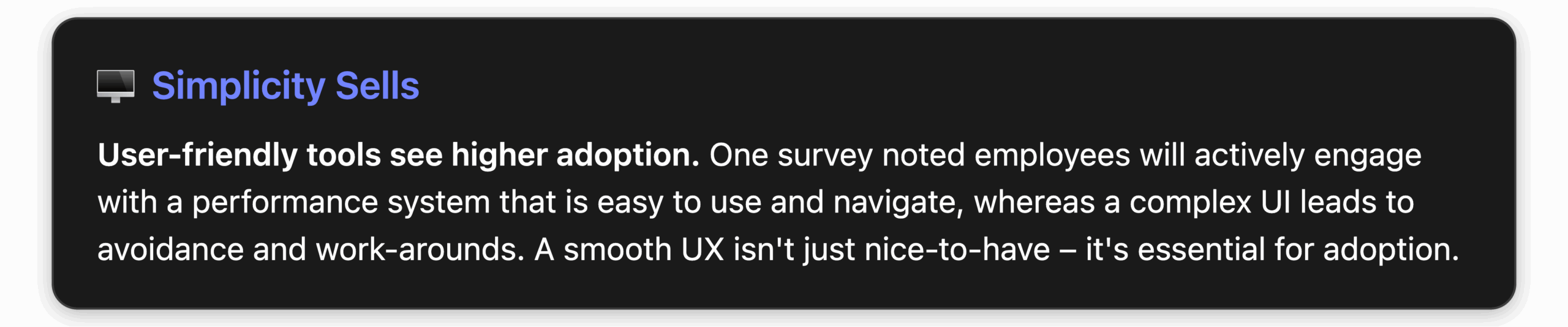
Why it matters: If the performance appraisal tool is as familiar and easy as the consumer apps people use daily, it won’t feel like a chore. On the other hand, if managers have to struggle with the interface, every interaction becomes optional in their mind – something they might procrastinate or skip. A user-friendly design directly combats the perception that using the tool is a “time-sink.”
Tip: During your selection process, involve some end-users in demos or trials. Let a few managers and employees test drive the software and give feedback. Often, they will spot usability issues that a vendor demo glosses over. Choosing a tool built with end-user experience as a priority will pay off immensely in adoption. (SuiteVal, for instance, markets itself as being “built with user-friendliness in mind” – a philosophy to look for in any tool[5].)
Example – SuiteVal’s Approach: SuiteVal’s performance appraisal platform emphasizes simplicity: there’s no software to install (it runs in a web browser), and it offers automatic reminders and 24/7 cloud access so users can log in anytime, anywhere[5]. By removing technical hassles and making the interface straightforward, SuiteVal helps ensure managers don’t dread logging in, which is exactly the kind of user-centric design that boosts consistent usage.
2. Provide Training and Change Management Support
Selecting a great tool is step one; step two is ensuring everyone knows how to use it and understands why. Even the most intuitive software benefits from orientation. Plus, adopting a performance management system often means changing habits – from how managers give feedback to how employees set goals. Comprehensive training and change management can make this transition much smoother.
What to include in your training & rollout plan:
- Initial Training Sessions: Host hands-on workshops for managers and employees when you launch the tool. Show them how to perform key tasks: completing a review, setting objectives, giving feedback, etc. Ensure each person logs in and tries the basic features during training so they leave feeling confident.
- Role-Specific Guidance: Tailor training to what’s most relevant for different users. Managers might need extra coaching on how to write constructive feedback or use the tool’s analytics dashboards. Employees might need guidance on self-assessments or updating goals. Make separate guides or Q&A sessions for each group if needed.
- On-Demand Resources: Provide job aids like quick-reference cheat sheets, short how-to videos, or an FAQ page. Users should have easy access to help when they’re using the system on their own. Many companies create a brief “user guide” or leverage the vendor’s support articles for this purpose[1].
- Continuous Support: Don’t consider training a one-and-done event. Especially in the first few months, have support available. Maybe an “office hours” where HR or project team members can address questions, or a chat channel for peer support. Encourage users to share tips or ask for help – so small issues don’t become reasons to drop off.
Change management is the other side of this coin. Beyond how to use, people need to know why to bother. This means communicating the purpose and benefits consistently:
- Explain the “What’s In It For Me”: Help employees and managers see how using the system benefits them, not just HR. For example, managers get a one-stop view of team goals and progress (less email chasing for updates), and employees get documented feedback that can support their growth or promotion opportunities. When users see personal value, they’re more likely to invest time in the tool.
- Set Expectations and Goals: Clearly outline that the company expects regular use of the tool. For instance, if company policy is that managers should have quarterly check-ins recorded in the system, say so upfront. People need to know this is a new norm, not just a trial. Tie these expectations to positive outcomes (like better appraisals, fair evaluations, etc.).
- Get Influencers on Board: Identify a few respected managers or team leaders who are enthusiastic about the new process. Involve them early (maybe in a pilot test) so they become champions. When peers see well-respected colleagues using and praising the system, they’re more likely to follow along[6].
- Communicate Early and Often: Don’t spring a new tool on employees without warning. Announce it ahead of time, highlighting that it’s coming to make their lives easier (not to micro-manage them). After launch, send encouraging reminders: e.g., “Q2 goals are due next week – remember to enter them in SuiteVal so you can track progress!” Effective change management means keeping performance management visible and talked-about until it becomes second nature.
Bottom line: By investing in solid training and change management, you reduce fear of the unknown and build user confidence. When people feel comfortable with a tool and understand its benefits, resistance drops significantly. They’ll log in because they know what to do and why it matters. This foundation is crucial for the next steps, like leadership reinforcement and process tweaks, to really take hold.
3. Secure Leadership Buy-In and Involvement
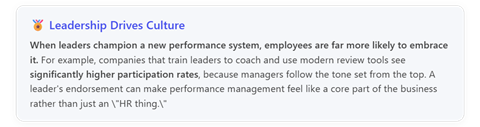
To drive any cultural change in an organization, leadership buy-in is key. When it comes to performance management tools, leaders (executives, senior managers, department heads) play a dual role: they approve and fund the system, but they also need to actively use and endorse it. If top leaders don’t walk the talk, managers and employees will quickly sense that the new tool isn’t a real priority.
Here’s how leadership buy-in can turbocharge adoption:
- Modeling the Behavior: Leaders should be early adopters themselves. For example, if the CEO or department VPs publicly use the tool – perhaps the CEO logs her own goals in the system and mentions it at an all-hands meeting – it sends a powerful signal. When a VP conducts their team’s performance check-ins through the new system and shares that experience, middle managers take note.
- Setting Accountability: Leadership can mandate usage in a positive way. If your Chief HR Officer says, “All people managers will complete mid-year reviews in the new system by June 30,” and this message is echoed by the CEO, it establishes organizational accountability. People know adoption is being watched at the highest levels.
- Providing Resources: Leaders need to ensure that managers have the time and support to adopt the tool. This could mean adjusting workloads around review time or providing administrative support for data entry if needed. It shows leadership is serious about making the tool a success, not just adding another task to everyone’s plate.
- Recognizing and Rewarding Adoption: When managers in their business units achieve high participation (e.g., 100% of their team completed self-reviews, or all quarterly check-ins done on time), leaders should acknowledge that. A quick shout-out in a management meeting – “I want to commend the Finance team for having all their performance conversations logged this quarter” – reinforces the desired behavior. It ties using the tool to positive recognition.
Tips to get leadership on board:
- Build a Strong Business Case: Before implementation, communicate to senior leadership how the performance tool will solve business pain points – not just HR problems. For instance, connect it to strategic goals: “This system will help us identify top performers for our expansion plans” or “It will save managers X hours per quarter that can be reallocated to coaching.” When leaders see performance management as a strategic asset, they are more invested in its success[1].
- Educate Leaders on Modern Practices: Some executives might be skeptical, thinking the old way worked fine. Share insights (briefly) about how modern continuous performance approaches outperform old annual reviews. Cite how frequent feedback can boost engagement and results[2]. This can open their minds to actively pushing the new process.
- Have Leaders Launch It: Make the rollout a leadership-driven announcement. If possible, have a respected executive introduce the tool at a company-wide meeting or via a personal email, underscoring their support. E.g., “Our leadership team is fully behind this initiative because we believe it will make all of us more successful and aligned.” When employees hear that from the top, they know this isn’t something they can ignore.
- Ensure Leaders Use It for Their Teams: Hold leaders accountable for using the tool with their direct reports (as applicable). For example, if the COO has a team of VPs, that COO should be conducting those VPs’ appraisals in the new system. If the top brass only talk the talk but don’t do their own reviews in the system, word will get around, undermining credibility.
Leadership buy-in essentially creates a trickle-down effect. It signals that performance management is a priority tied to company success, not just bureaucracy. When managers see their bosses taking it seriously, they will do the same with their teams. Over time, this top-down commitment helps performance reviews become an institutional habit – just part of “how we do things here.”
4. Simplify the Process (Make It Less of a “Burden”)
One common complaint about performance management systems (especially older ones) is that they’re too time-consuming or complex. If the process around the tool – the forms, the steps, the approvals – is overly cumbersome, no fancy software will fix that. Simplifying your performance review process and forms can significantly increase willingness to use the tool.
Remember: The goal is to reduce the perceived administrative burden on managers and employees. Here’s how:
- Keep Review Forms Short and Focused: Resist the temptation to capture every detail in one go. Long, unwieldy forms where managers have to write paragraphs on dozens of competencies will only collect dust. Instead, identify the few key questions that truly matter. For example, ask for top 3 accomplishments, 2-3 areas of improvement, and future goals – rather than a 10-question essay. One HR professional’s observation hits home: employees “hate the administrative burden” of lengthy documentation, so trimming forms to essentials helps a lot.
- Use Rating Scales Judicially: Ratings (1-5, etc.) can simplify input, but too many scales are counterproductive. Maybe you just need an overall performance rating and one for potential or goal achievement. Avoid five different scales that managers must fill out – that feels like bureaucracy. Make any ratings easy to understand and aligned with decisions (e.g., if pay is tied to an overall rating, focus on that).
- Automate Wherever Possible: Take advantage of the tool’s features to automate steps. For instance, set up the system to auto-populate basic data (employee’s role, tenure, past goals) into the review form so managers don’t have to fill those in. If the tool allows writing assistant features or pre-filled comments suggestions (some advanced systems do), consider enabling those to help managers write feedback faster (but always with a personal touch). Also, use automated notifications so that HR doesn’t have to chase people manually – the system can email reminders as deadlines approach.
- Stagger and Simplify Timing: Another way to lighten the load is to break the once-a-year heavy review into smaller, more frequent check-ins. Many companies are moving toward quarterly or continuous feedback. This means each session is quicker (maybe a 15-minute check-in logged, instead of a massive annual review). It spreads the work out and makes performance conversations more natural. If your organization can adopt a culture of frequent light feedback, the tool usage becomes more habitual and less daunting. One study noted that companies using continuous performance processes have far more engaged employees and managers who find the system easier to use than those doing big annual reviews[2].
- Provide Examples and Templates: Sometimes the burden is mental – managers not knowing what to write. Simplify that by giving example comments or a simple template for feedback. For instance, the Start/Stop/Continue model (what should the employee start doing, stop doing, continue doing) can guide a concise review. If the tool allows, pre-load such templates. This reduces the cognitive load on managers, making the task feel easier.
Table: Traditional vs. Simplified Performance Review
| Aspect | Traditional (Cumbersome) | Simplified (User-Friendly) |
| Review Frequency | Once a year, lengthy review meeting and form | Quarterly 15-minute check-ins + annual summary |
| Form Length | 10-page form with 15 questions + multi-page narratives | 1-2 page form with 5 focused questions |
| Competencies Rated | 10-20 competencies with numeric ratings each | 3-5 key competencies or goals, primarily qualitative notes |
| Approval Workflow | Manager → Department Head → HR → Executive (weeks long) | Manager & employee finalize, HR review for outliers (fast) |
| Feedback Style | Formal, written once yearly | Ongoing, notes added throughout the year (via tool) |
| Employee Input | Infrequent, perhaps one self-review | Regular self-reflections or check-in comments each quarter |
Simplifying the process encourages adoption by making performance management less of a marathon and more of a regular conversation. When designing your process within the tool, aim for simplicity and clarity. Every extra step or question you remove is one less chance for users to get stuck or procrastinate.
Real-world tip: Some companies start with a “minimum viable” performance process[4] when rolling out a new tool. They strip it down to the basics (e.g., maybe just quarterly check-in notes and an annual overall rating to start). Once adoption is solid and people are comfortable, they gradually add components if needed (like 360-feedback or additional goal tracking). This agile approach prevents overwhelming users on day one and builds adoption momentum you can later build upon.
Ultimately, by simplifying forms and workflow, you address the complaint that the system is a time-sink. Managers will no longer spend endless hours pushing paperwork, and employees won’t feel like the process is happening to them rather than for them. A leaner process keeps the focus on the quality of feedback and development – which is what performance management is really about – rather than on ticking boxes.
5. Leverage Tool Features: Automated Reminders, Integrations & Mobility
Modern performance management tools come with a variety of features designed to engage users and make usage easy to remember. Leveraging these features can significantly boost adoption by integrating the tool into the natural flow of work.
Here are some powerful features to make use of:
- Automated Reminders and Notifications: Take advantage of automation to prompt users at the right times. For example, configure the system to send an email to managers when a quarterly check-in is due, or to employees when it’s time to complete a self-review. Automated reminders ensure that busy users don’t forget about the performance process. They also reduce the chasing work for HR. Many tools, including SuiteVal, offer the ability to schedule reminder emails so nothing falls through the cracks[5]. When people are nudged regularly by the system, it becomes harder to ignore. It also subtly reinforces that the organization expects them to engage.
- Calendar Integration: If possible, integrate the performance tool with users’ calendars. For instance, a prompt to schedule the next one-on-one or review meeting can be added to Outlook/Google Calendar directly. This ensures performance discussions have a reserved time slot and aren’t perpetually postponed.
- Email Integration for Feedback: Some platforms allow replying to a notification email with feedback comments that get recorded in the system. Features like that blur the line between using “the system” and just communicating, making adoption almost seamless. If your tool has an email plugin or a way to sync feedback with email, highlight that to managers: e.g., “Just reply to the reminder with your update, and it will log automatically.”
- Social and Recognition Features: Many performance tools now include recognition feeds or “kudos” features, where employees and managers can publicly recognize someone’s good work. Leveraging this can drive engagement because it’s a positive, low-effort use case – people enjoy giving and receiving praise. If your system has a social wall or badges, encourage their use. Over time, employees will log in not just for formal reviews but to see feedback from colleagues, which increases overall activity in the platform.
- Dashboards and Analytics: Make the data work for you. Show managers how they can use the tool’s dashboards to save time – for example, a dashboard that shows at a glance who on their team has submitted self-evaluations and who hasn’t, or a heatmap of goals progress. When managers realize the system provides helpful information (and not just obligations), they’ll be more likely to log in proactively. HR can also share interesting aggregate stats (e.g., “80% of our company goals are on track!”) pulled from the tool to demonstrate value and spark curiosity.
- Performance Journals or Check-in Logs: Encourage employees and managers to use any continuous feedback or journal feature. This might be a place to note accomplishments or feedback throughout the year. It’s usually optional, but those who use it will find writing formal reviews much easier (since they can pull from the notes). Promote it as a personal tool for making their lives easier come review time.
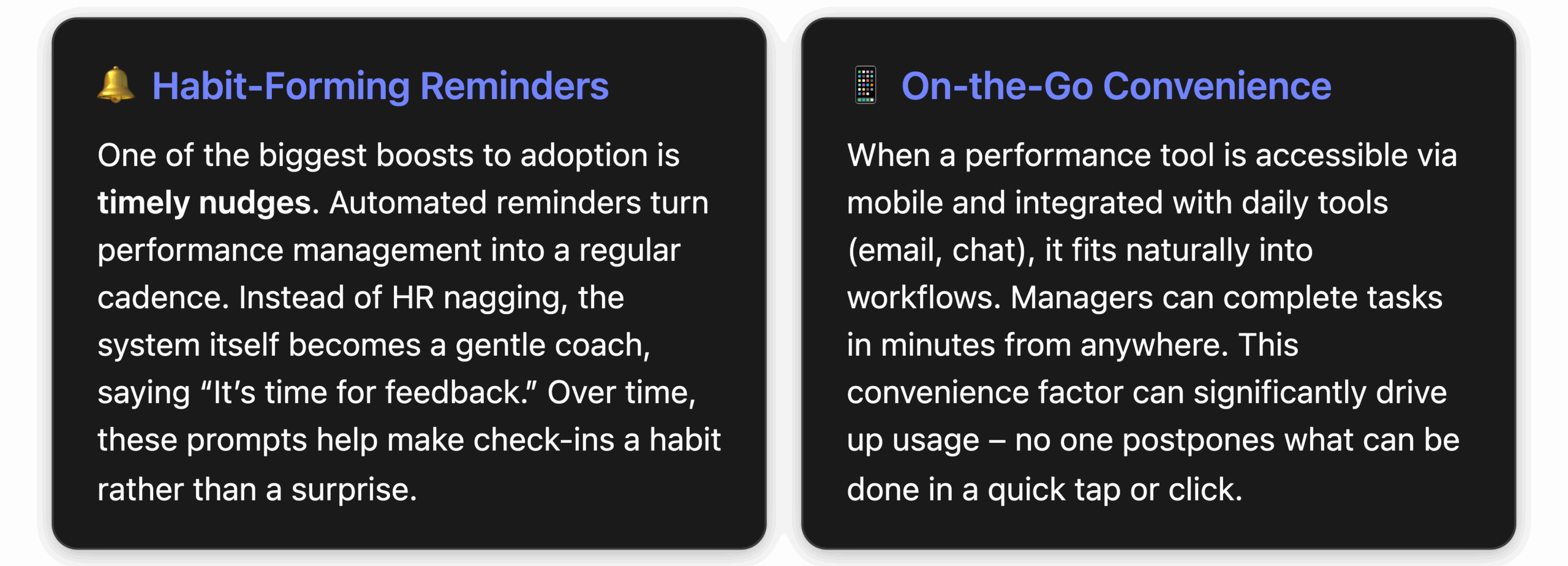
Implementation tip: During training, specifically highlight these features and perhaps even require folks to set up some of them (like enabling mobile app notifications). For example, you could have a part of training where everyone pulls out their phone and logs in or everyone sends a quick kudos to someone. The sooner users experience these convenient features, the more they’ll incorporate the tool into their routine.
Case in point – SuiteVal’s features: SuiteVal’s performance appraisal software includes automatic email reminders for evaluations, so HR never has to worry about people forgetting to complete their parts[5]. It’s also a cloud solution accessible 24/7 “at the office, at home or on the go”[5], meaning employees can update objectives or finish reviews from any device at any time. By using such features, companies can remove excuses for not using the tool. SuiteVal’s design illustrates how built-in nudges and accessibility can keep users consistently engaged – performance management becomes a continuous process woven into work life, not a one-off event.
Conclusion: Making Performance Reviews a Habit, Not a Chore
Driving manager and employee adoption of a performance management tool comes down to one core idea: make it easy and valuable for them. When the software is user-friendly, when people are trained and supported, when leaders lead by example, when the process is streamlined, and when the tool itself assists users with reminders and convenient access – performance reviews transform from dreaded chores into a habitual part of work.
Imagine your organization a year from now: Managers regularly discussing goals and recording feedback in the system because it feels natural. Employees checking in on their development plans and welcoming the chance to get input. HR no longer chasing people at review time, but instead analyzing rich performance data to inform promotions and training. That’s the vision of a high-adoption culture around performance management.
Achieving this takes deliberate effort. It won’t happen just by emailing out a login. But the tips outlined – choose the right tool, train thoroughly, get leadership on board, simplify the process, and leverage engagement features – serve as a roadmap to performance management success. Each tip tackles a specific adoption barrier and increases the likelihood that your managers and employees will actually use the tool consistently.
In the end, a performance management system is only as good as the participation it earns. By focusing on user experience and engagement from day one, HR leaders can ensure their chosen platform truly delivers. Performance reviews can become an empowering experience rather than an administrative headache. When that happens, you not only get better data and higher productivity – you get a culture where continuous improvement is part of the company DNA.
Next Steps to Elevate Your Performance Management
Evaluate your current performance process against these best practices. Identify one or two areas to improve immediately — like simplifying your review form or scheduling manager training.
If you’re still searching for the right software, prioritize user adoption features. Modern solutions like SuiteVal offer:
- Intuitive interface
- Automated reminders
- Anytime access
All designed to make performance management painless and effective.
References
[1] Four Adoption Best Practices for Performance Programs
[2] Performance Management Statistics: What 2025 Holds for HR Leaders
[3] 35 Performance Management Statistics To Shape Your Processes
[4] Performance Management Adoption: How to Engage Employees
[5] SuiteVal – We’ve got you covered
[6] Performance Management Process: Tips for Increasing Adoption